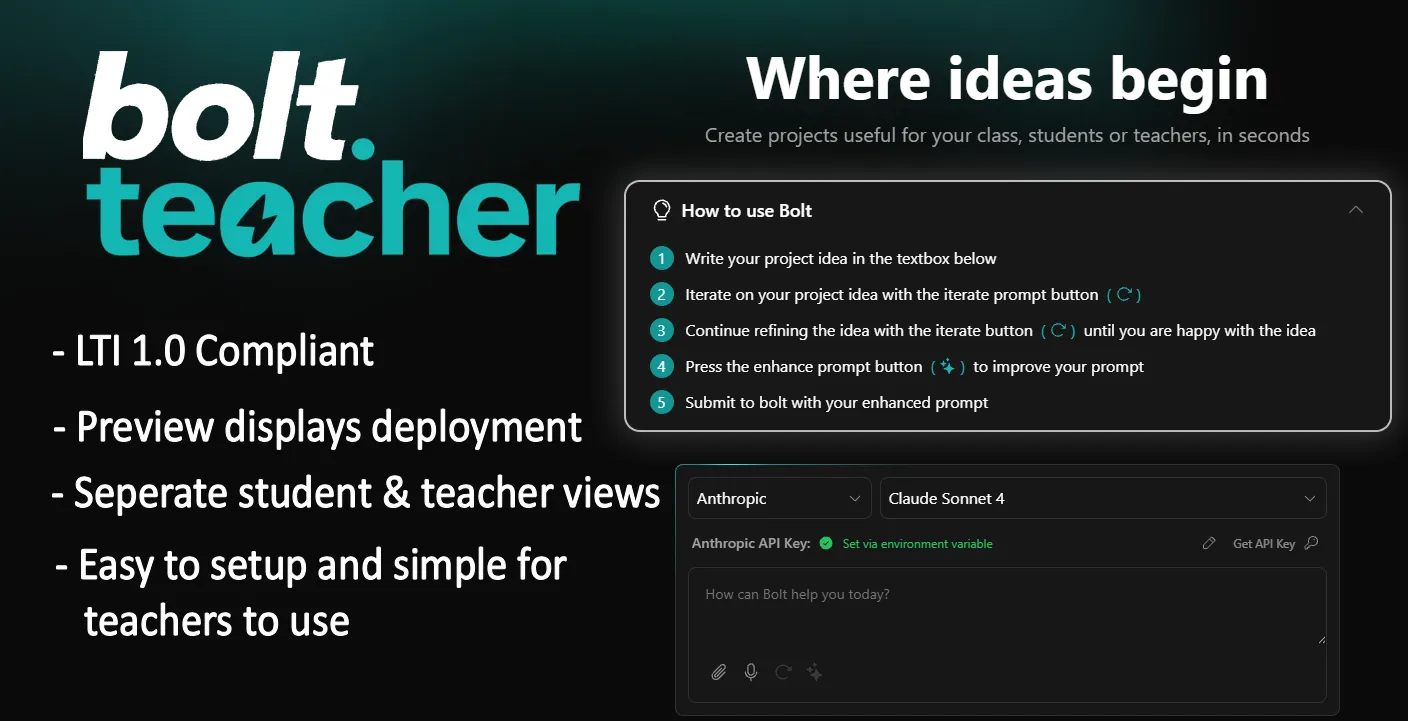
Teachers often have innovative ideas for digital learning tools but lack the engineering resources to build them. While Generative AI can write code, it fails at infrastructure. If you ask an AI to “build an LTI-compliant quiz,” it will typically hallucinate a solution that is insecure, fails to connect to the gradebook, or requires complex server setups that a teacher cannot manage.
bolt.teacher is a research platform that bridges this gap. It acts as an autonomous software architect that strictly enforces educational standards. It scaffolds non-technical educators through an iterative design process, then uses a highly-tuned system prompt to generate applications that are guaranteed to be LTI 1.0 compliant and deployable.
What is LTI? Learning Tools Interoperability (LTI) is the global standard that allows external applications to “plug and play” with university Learning Management Systems (like Blackboard, Canvas, or Moodle).
For a teacher, LTI compliance means two critical things:
- Single Sign-On: Students don’t need to create new accounts; they are automatically logged in via the LMS.
- Grade Pass back: Scores from a quiz or activity are automatically sent back to the university gradebook, removing manual data entry.
The Workflow: Scaffolding the Idea
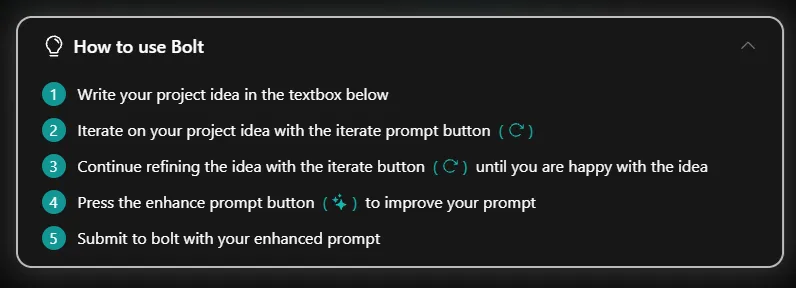
I designed a multi-stage “consultancy” workflow that mimics a conversation with a Learning Designer. This ensures the AI understands what to build before it tries to write code.
1. The Iterator (The “Consultant”)
The first agent acts purely as a requirements gatherer. It analyses the teacher’s initial vague idea and triggers a feedback loop:
- Teacher: “I want a quiz on Rome.”
- Probing: “Do you want immediate feedback for students? Should the results be visible in a teacher dashboard?”
- Refining: The teacher answers these questions and asks AI for further questions until they are satisfied their idea is clear.
2. The Enhancer (The “Architect”)
Once the idea is solid, the “Enhance” button triggers a second agent. This agent does not just summarize the idea; it wraps the user’s request in a massive, pre-engineered System Prompt. This prompt injects the specific technical constraints (Database patterns, API keys, LTI 1.0 authentication flow, Dual-Mode UI) before any code is generated.
Prompt Engineering as Architecture
The core of this project is the System Instructions I engineered for the AI. Through running bolt.teacher myself, I identified where standard models failed and adjusted the system prompt to prevent those failures in future runs.
Embedded Architectural Patterns
Standard models struggle with the specific handshake required for LTI 1.0 (connecting a tool to Blackboard/Canvas).
- The Problem: The AI would frequently write broken authentication logic or expose secrets to the client.
- The Solution: I embedded valid architectural blueprints directly into the system prompt. I provided the AI with exact code snippets for the backend “Bouncer” and the frontend handshake. The AI doesn’t have to guess how to be compliant; it is forced to follow the strict architectural pattern I defined.
Enforcing Data Persistence
In a browser-based environment, data is lost on reload. The AI didn’t understand this context.
- The Fix: I added a “CRITICAL” instruction to the prompt, mandating that the AI use
sql.jsand—most importantly—export the database binary tolocalStorageafter every write operation. This was a specific fix to ensure students wouldn’t lose their data if they refreshed the page.
The “Dual-Mode” Architecture
To allow teachers to preview complex, server-dependent features inside a browser-based sandbox (WebContainers) that lacks a real backend, I instructed the AI to build applications that function in two distinct states.
1. The LTI Simulator (Preview Mode)
LTI tools usually require a live LMS (like Blackboard) to function, which makes testing impossible for a teacher working on their laptop.
- In Preview: I utilized a Mock LTI Launcher that runs entirely client-side. It simulates the
POSTrequest payload an LMS would send, allowing the teacher to “login” as a Student or Instructor to test role-based views. - In Production: The code is generated with a “Bouncer” pattern. When deployed to Cloudflare, the app automatically detects the environment and switches from the Mock Launcher to the real
ims-ltihandshake.
2. The AI Proxy (Sandboxed vs. Deployed)
Teachers can build apps that utilize Generative AI. However, exposing API keys in a browser sandbox is insecure, and CORS blocks direct calls.
- In Preview: The system injects a “Mock AI” service that returns preset responses (e.g., “AI functionality is simulated in preview mode”), ensuring the app doesn’t crash while the teacher is testing the UI.
- In Production: Once deployed, the app connects to a secure backend proxy. The generated code automatically routes requests through this proxy, which attaches the hidden API keys and communicates with OpenAI/Anthropic.
Limitations & Future Outlook
The Complexity Ceiling:
Currently, bolt.teacher excels at creating specific educational “activities” (simulations, quizzes). There would be limitations with what current AI can create, this hasn’t been stress-tested, but this will also change as LLMs improve in software engineering capabilities.
Tech Stack
- Core: Node.js, WebContainers (Browser-based runtime).
- AI: Anthropic Claude 3.5 Sonnet.
- EdTech Standards: LTI 1.0 (Learning Tools Interoperability).
- Architecture: Client-side SQL (sql.js) with LocalStorage persistence.