The Shift: From “Ban” to “Build”
Educational institutions are currently facing a crisis: students are using AI to bypass learning (“Path A”), rather than using it to deepen understanding (“Path B”).
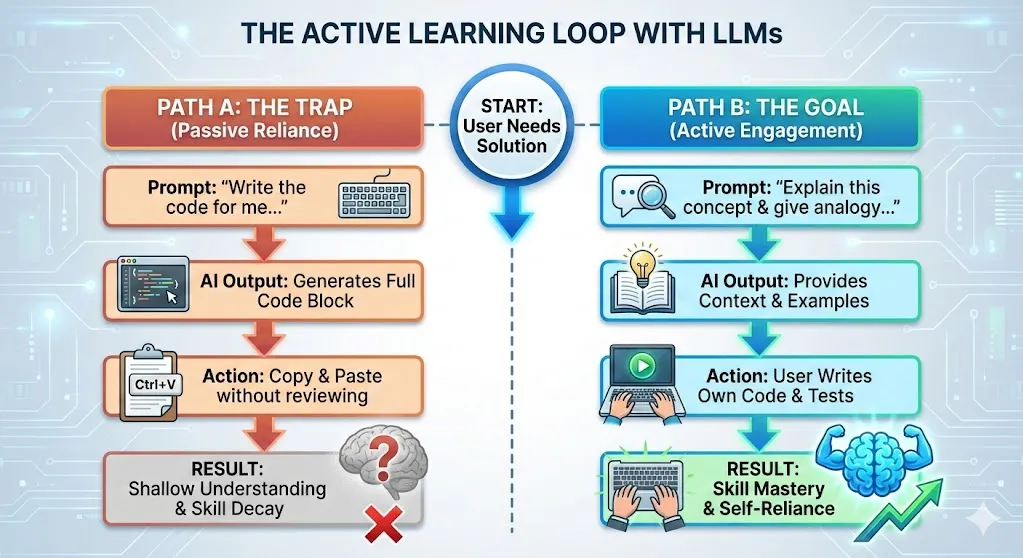
I led a team of 4 to build four learning modules (Python, Frontend, Data Analysis, and R). Our goal was to create a curriculum that didn’t focus on warnings and repercussions of AI use, but rather took a proactive approach. We re-engineered the course materials to incorporate AI directly into the learning loop, teaching students how to use LLMs for debugging, ideation, and Socratic review without sacrificing fundamental skills.
My Role: Design & Implementation
While my peers focused on domain-specific content, my role was to manage the four separate modules and implement globally applicable frameworks. This involved providing strategic guidance on structure and creating engaging UI components that would work across all modules.
The original learning modules were text-heavy and lacked concrete examples. Students needed to see the difference between AI as a learning enhancer versus a learning bypass. I restructured the content and designed several key adjustments
UI Innovations for Better Learning
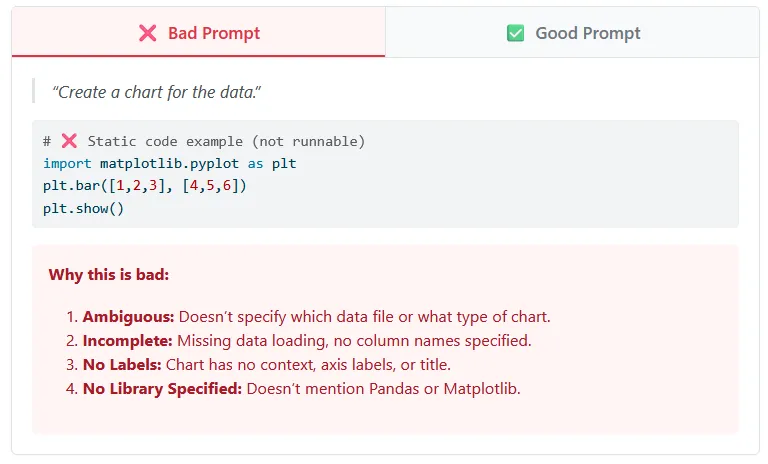
Good & Bad Comparison Tool: I designed an interactive component that directly compares lazy prompting with engineered prompting, showing specific examples and explanations for why each prompt succeeds or fails.
- The “Bad” Pattern: Vague requests that yield generic, copy-paste answers
- The “Good” Pattern: Structured requests that define personas, constraints, and output formats (e.g., “Act as a Data Analyst,” “Use Pandas,” “Explain step-by-step”)
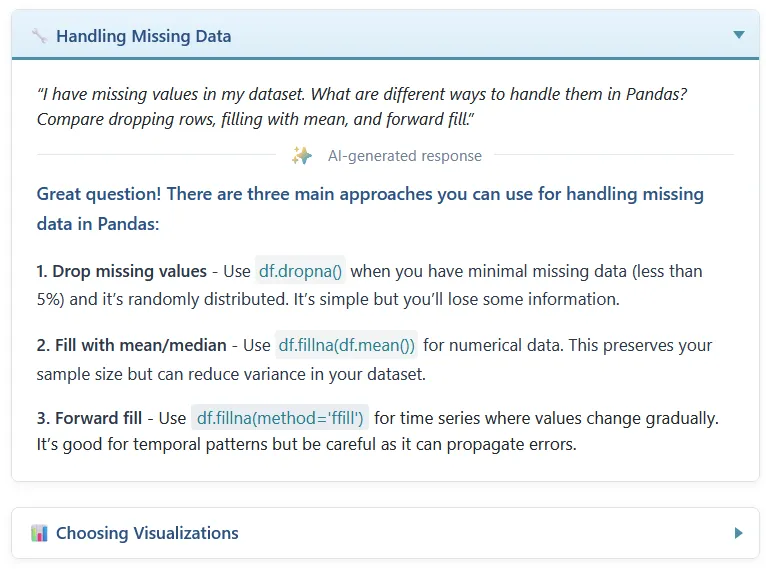
Collapsible Content Sections: To make the pages less overwhelming, I implemented collapsible categorizing sections that let students focus on one concept at a time.
Visual Learning Aids: I leveraged generative AI to create digestible infographics and diagrams that break up text monotony and help students visualize abstract concepts more effectively (Plan A vs Plan B infographic at the top is an example of this).
Domain-Specific AI Integration
A key challenge was ensuring the AI advice wasn’t generic. I worked with each domain lead to tailor the AI workflows to their specific tech stacks:
Frontend Development: We shifted focus from syntax memorization to Iterative Design. Students learn to use AI image generators for rapid UI prototyping, then use LLMs to scaffold HTML/CSS. This transforms high-fidelity prototyping from a laborious bottleneck into an instantaneous creative accelerator, opening new opportunities for students without design skills while enhancing those who do.
Data Analysis: We focused on Privacy & Logic. Students learn to describe dataset schemas without uploading PII (Personally Identifiable Information) and mitigate potential data leakage while leveraging AI for analytical insights.
Future Improvements
Student feedback will be crucial for refining these modules. The polarization around AI means we need to consider diverse perspectives - art students may resist AI integration where computer science students embrace it. We also need to be responsive to domain-specific viewpoints on AI, just as we incorporated domain-specific AI advice.
There’s always room to improve our process of incorporating AI into education, and understanding how different disciplines approach AI learning will help us create more inclusive and effective curricula.